
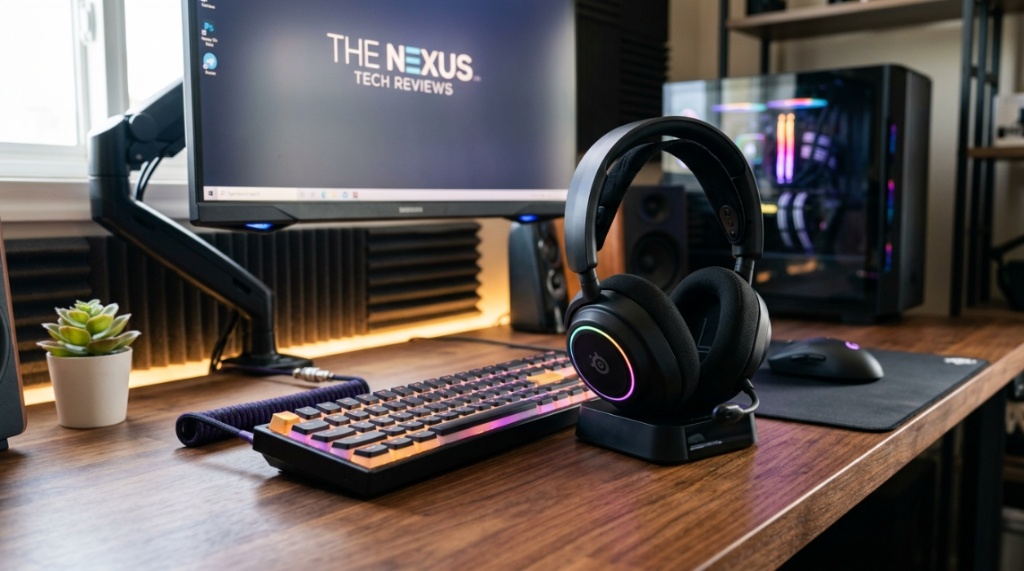
The truth is, most gamers focus on sound quality first. They obsess over surround sound drivers and noise cancellation, only to realize after a four-hour session that their ears feel like they have been put through a hydraulic press. You know the problem. You are looking at specs, reading reviews, and trying to figure out why your current headset feels like a vice grip on your skull. The answer is simple: you have been prioritizing performance over gaming headset comfort, and your body is paying the price. This guide will walk you through exactly what to look for so you can game for hours without pain, distraction, or fatigue.
Thank you for reading this post, don't forget to subscribe!What Exactly Makes a Gaming Headset Comfortable?
Comfort in a gaming headset is not a single feature; it is a system of design choices that work together. When you put on a headset, your head, ears, and neck all interact with the materials and structure. If even one component fails, the entire experience becomes painful. Understanding these components is the first step to making an informed choice.
The Role of Clamping Force
Clamping force is the pressure your headset applies to the sides of your head. Too much force, and you get a headache. Too little, and the headset slides around. The ideal clamping force is light but secure enough to keep the earcups sealed. Look for headsets with adjustable headbands that distribute this pressure evenly across the top of your skull rather than squeezing your temples.
Material Matters: Leatherette vs. Fabric vs. Mesh
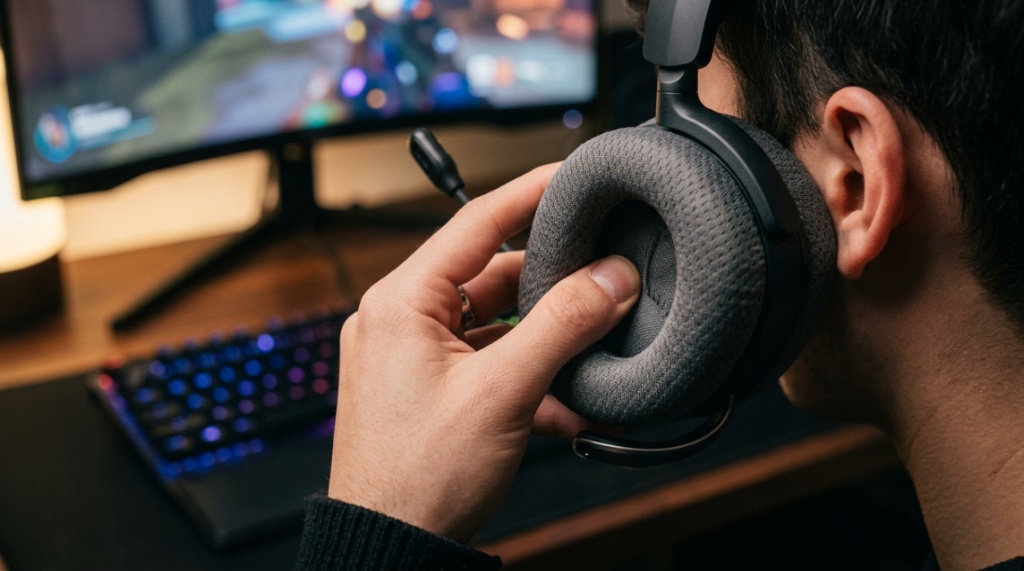
Earcup material directly affects sweat, heat, and long-term skin irritation. Leatherette (faux leather) creates a great seal for sound isolation but traps heat and moisture. Fabric breathes better but can absorb sweat and odor. Mesh is the most breathable but offers less noise isolation. For extended gaming sessions, a breathable fabric or mesh is often the better choice. If you prefer leatherette, look for “cooling gel” variants that reduce heat buildup.
Weight Distribution and the Headband Design
A heavy headset can cause neck strain within an hour. The weight of the headset must be distributed across the widest possible surface area on your head. Suspension-style headbands, which use a strap that sits on your crown, are far more comfortable than thin, padded headbands. The suspension strap conforms to the shape of your head, reducing pressure points.
Why Does Headset Weight Matter So Much?
Weight is the most overlooked factor in gaming headset comfort. A difference of 50 grams might not seem like much when you pick the headset up, but over two hours, that extra weight translates directly into fatigue. Your neck muscles are constantly working to stabilize the headset, and every gram counts when you are in a competitive match or a long RPG session.
The “Sweet Spot” for Weight
Most comfortable gaming headsets fall between 250 and 300 grams. Anything above 350 grams should have an exceptional suspension headband and ultra-soft ear cushions to compensate. Wireless headsets often weigh more because of the internal battery. Before you buy, check the product specifications for the exact weight. If a manufacturer hides this number, that is a red flag.
Balanced Design vs. Front-Heavy Microphones
A headset that feels balanced will sit evenly on your head. Many gaming headsets are front-heavy because of a large boom microphone. This tilt creates pressure on the bridge of your nose and causes the earcups to shift. Look for headsets where the microphone is lightweight and retractable, or where the design counterbalances the weight of the mic with battery placement or speaker drivers.
How Should Earcups Fit for Maximum Comfort?
Earcup fit is the most personal aspect of headset comfort. If the earcups do not match the shape and size of your ears, you will feel discomfort within minutes. The goal is to have your ears completely enclosed inside the earcup without touching the interior foam or the driver mesh.
Over-Ear vs. On-Ear Designs
Over-ear (circumaural) headsets completely surround your ear. These are the preferred choice for comfort because they spread pressure over a larger area and do not compress your ear cartilage. On-ear (supra-aural) headsets press the cushion against your outer ear, which can become painful after an hour. Always choose over-ear for extended gaming sessions.
Earcup Depth and Internal Space
Not all over-ear headsets are deep enough. If you have larger ears, you need earcups with at least 2.5 centimeters (1 inch) of internal depth. Shallow earcups cause your ears to press against the driver mesh or foam inside the headset. This creates hot spots and reduces blood circulation. Look for “deep ear pads” or “memory foam ear cushions” in the product description.
Width and Rotation for Glasses Wearers
If you wear glasses, you already know the struggle. Standard earpads clamp down on the arms of your glasses, pushing them into the sides of your head. You need earcups that are wide enough to accommodate the frame arms without pinching. Look for headsets with “glasses-friendly” design, which often means softer foam that compresses around the frame arm, or a wider ear cup opening that allows the arm to sit flush against your head.
Which Headband Style Is Best for Long Sessions?
The headband is the backbone of your headset. A poor headband design will ruin even the most comfortable ear cushions. The two main styles are the traditional padded headband and the suspension strap headband, but there are nuances to each.
Traditional Padded Headbands
These are the most common. A thick pad sits directly on top of your head. The problem is that the pad is often curved, concentrating pressure on the very center of your skull. Over time, this creates a “hot spot” that feels like a dull ache. High-quality traditional headbands use memory foam and a wider contact patch to minimize this, but they are rarely as comfortable as suspension designs.
Suspension Strap Headbands
A suspension strap uses a fabric or elastic strap that hangs between two metal or plastic arches. The strap conforms to the exact shape of your head’s crown, distributing weight over a large surface area. This design is almost universally preferred for marathon gaming sessions. It also provides self-adjustment for different head sizes automatically, making it ideal for households with multiple users.
Metal vs. Plastic Headband Construction
Plastic headbands are lighter and cheaper, but they can become brittle over time and may not offer enough flexibility to fit larger heads. Metal headbands are more durable and provide consistent clamping force. However, metal can feel cold initially and may pinch if the frame is too tight. Steel or aluminum frames with adjustable sizing offer the best balance of durability and flexibility for comfort.
Can Ear Cushion Material Affect Sound Quality and Comfort?
Yes, your ear cushions act as the interface between the headset’s speakers and your ears. They affect the bass response, soundstage, and noise isolation. More importantly, they determine how your skin feels over time. The wrong material can lead to sweaty ears, itching, or even skin rashes.
Memory Foam vs. Standard Foam
Memory foam is superior for comfort. It conforms to the exact shape of your ear and head, creating a custom fit that reduces pressure. Standard foam is less expensive but does not compress as evenly. Memory foam also retains its shape longer, meaning your headset stays comfortable for years instead of months. Always look for “plush memory foam” in the specifications.
Breathable Mesh vs. Leatherette for Sweating
If you tend to get hot while gaming, leatherette is your enemy. It creates a seal that traps heat and humidity. Breathable mesh or velour earcups allow air circulation, keeping your ears cool and dry. The trade-off is that mesh reduces passive noise isolation, meaning you will hear more of your environment. For purely comfort-based long sessions, breathable fabric wins over leatherette every time.
How Do You Test Headset Comfort Before Buying?
You cannot return a headset after a week of use in most cases, so knowing what to check before you spend your money is essential. There are specific tests you can perform in-store or based on reviews that will tell you if a headset is truly comfortable for your head shape.
The “Hour-Long Simulation” Test
Read reviews from users who mention “over-ear comfort” and “long session wear.” Look for comments about pressure points behind the ears or on the top of the head. If multiple users report discomfort after an hour, you will too. Pay attention to reviews from people with your head size. Someone with a small head might find a headset comfortable while someone with a large head finds it tight.
The Glasses Wearer’s Checklist
Look for specific user reviews from glasses wearers. Ask these questions in your search: Does the headset pinch the frame arms? Does the foam compress enough to allow a flush seal? Does the headset cause ear pain after 30 minutes? Many modern gaming headsets now include “glasses gaps” in the ear pads, which are small cutouts designed to relieve pressure on the glasses arms. This is a huge comfort feature to seek out.
Checking for Adjustability Mechanisms
A comfortable headset must fit your head. Check the adjustability range of the headband and the rotation of the earcups. The earcups should swivel and tilt to match the angle of your jaw. If the earcups are fixed, they will only fit one specific head shape perfectly. Full articulation, including 90-degree rotation for flat storage, usually indicates a well-designed comfort system.
Are Wireless Headsets Less Comfortable Than Wired?
It depends entirely on the design. Wireless headsets often contain a battery, a Bluetooth antenna, and additional electronics that add weight. However, the lack of a cable can actually improve comfort because you do not have to manage a wire that pulls or snags on your chair or clothing. The key is to find a wireless headset that prioritizes weight management.
Battery Placement and Balance
Manufacturers that understand gaming headset comfort place the battery in the headband or evenly between the two earcups. Poor designs put all the battery weight in one earcup, creating an unbalanced feel that strains your neck on one side. Look for wireless headsets with balanced weight distribution. A headset that lists its weight but does not mention balance is usually front-heavy.
Cable Management vs. Wireless Freedom
A wired headset has a cable that can get tangled, pull on the headset, or get caught on your mouse. This constant micro-tension can be annoying and can shift the headset position on your head. Wireless freedom allows you to move without restriction, which feels more natural and reduces the need to constantly adjust the headset. If you choose wireless, just ensure you are willing to manage the extra 30-50 grams of weight.
What Should You Look for in a Budget Comfort Headset?
You do not need to spend hundreds of dollars to get a comfortable headset. Many budget options now use the same design principles as premium models, but they often cut corners on materials. Understanding where to compromise and where to hold firm will get you the best comfort for your money.
If you are shopping for a fellow gamer or looking to upgrade your entire setup beyond just audio, explore these curated luxury tech gifts for men to find high-end gear that impresses instantly.
Features That Should Not Be Sacrificed
Never compromise on earcup depth or headband padding. A budget headset with shallow earcups and a thin headband will hurt no matter what you pay. Instead, look for headsets that offer memory foam cushions and a suspension headband, even if the build materials are plastic. A plastic suspension headband is often more comfortable than a leather headband on a metal frame.
Common Cost-Cutting Pitfalls
Budget headsets often use stiff, non-breathable leatherette that cracks within six months. They also tend to have higher clamping force to compensate for cheaper hinges. Always test the clamping force by gently pulling the earcups apart. If they resist strongly, the pressure on your head will likely be uncomfortable. Read reviews from owners who have used the headset for more than three months to see how the foam and padding hold up.
How Important Is Headset Breathability for Comfort?
Breathability is critical for extended gaming sessions. Heat and moisture buildup inside the earcups can cause your ears to sweat, which leads to skin irritation, itching, and the need to constantly remove the headset to “air out.” This breaks your focus and ruins the immersive gaming experience. Breathable headsets allow you to stay in the game longer.
Ventilated Earcups vs. Solid Backs
Open-back headsets have ventilated earcups that allow air to flow freely. These are the most breathable option, but they leak sound and offer almost no noise isolation. Closed-back headsets trap heat. Some closed-back headsets now use small ventilation ports in the ear cup backing to improve airflow while maintaining some noise isolation. For pure comfort in a shared room, look for closed-back headsets with breathable fabric cushions and ventilation channels.
Hygiene Considerations for Long-Term Use
Sweat and oils from your skin break down ear cushions over time. Breathable fabric cushions can be washed more easily than leatherette. If you game for more than four hours a day, you should clean your ear cushions weekly. A headset that allows you to remove the ear cushions for washing or replacement is a significant comfort advantage. Removable cushions extend the life of the headset and keep the foam from becoming matted and hard.
Frequently Asked Questions
What is the best way to break in a new gaming headset?
Gently stretch the headband over a stack of books or a pillow for 24-48 hours. This loosens the clamping force without damaging the frame. Wear the headset for short 30-minute sessions to allow the memory foam to conform to your head shape.
Can I replace earcups to improve comfort on my current headset?
Yes. Many headsets use standard-sized earcups that you can replace with aftermarket options. Look for deeper, memory foam replacement pads that are compatible with your headset model. This is often the cheapest way to drastically improve comfort without buying a new headset.
Are gaming headsets with noise cancellation more comfortable?
Active noise cancellation (ANC) headsets are typically heavier due to the internal electronics and microphones. The extra weight can reduce comfort for some users. However, ANC reduces the need to wear the headset tightly for noise isolation, which can lower clamping force and actually improve comfort.
How do I know if my headset is too tight?
If you feel a band of pressure around your temples or the top of your head within the first 30 minutes, the clamping force is too high. If you remove the headset and feel a lingering ache or see red marks on your skin, the headset is too tight for your head.
Should I choose a headset with a built-in cushion on the headband?
A cushion is better than bare plastic or metal, but a suspension strap is superior. If you must choose a padded headband, make sure the padding is at least 1.5 centimeters thick and made of memory foam. Thin padding will bottom out and allow the hard frame to press against your skull.
Do heavier headsets cause headaches?
Yes. Extra weight fatigues your neck muscles and creates sustained pressure on the scalp. This tension can trigger tension headaches over time. If you are prone to headaches, aim for a headset under 280 grams with a suspension headband to distribute the weight evenly.
What is the most comfortable headset material for sensitive skin?
Velour or microfiber fabric earcups are the most skin-friendly. They are soft, breathable, and rarely cause allergic reactions. Avoid leatherette if you have sensitive skin, as it can cause sweating and irritation. Look for headsets with hypoallergenic ear pad options.
Ultimately, selecting the perfect headset comes down to matching the design to your physical needs. Do not just read the glowing reviews about amazing audio; read between the lines for mentions of the physical feel. A headset that feels like an extension of your body is an investment in both your performance and your health. Use this guide to narrow your search, and you will end up with a headset that lets you play at your best, hour after hour.